
Place signs
Drop a sign by GPS or tap the map. Add the host's name, a photo and notes. No signal? Keep going: new signs are saved on the device and sync later.
Know what's out, who put it there, and who needs to pick it up. Your whole team works from one shared map, on iPad, phone or computer.
Start free with 20 signs. Any candidate. Any party.
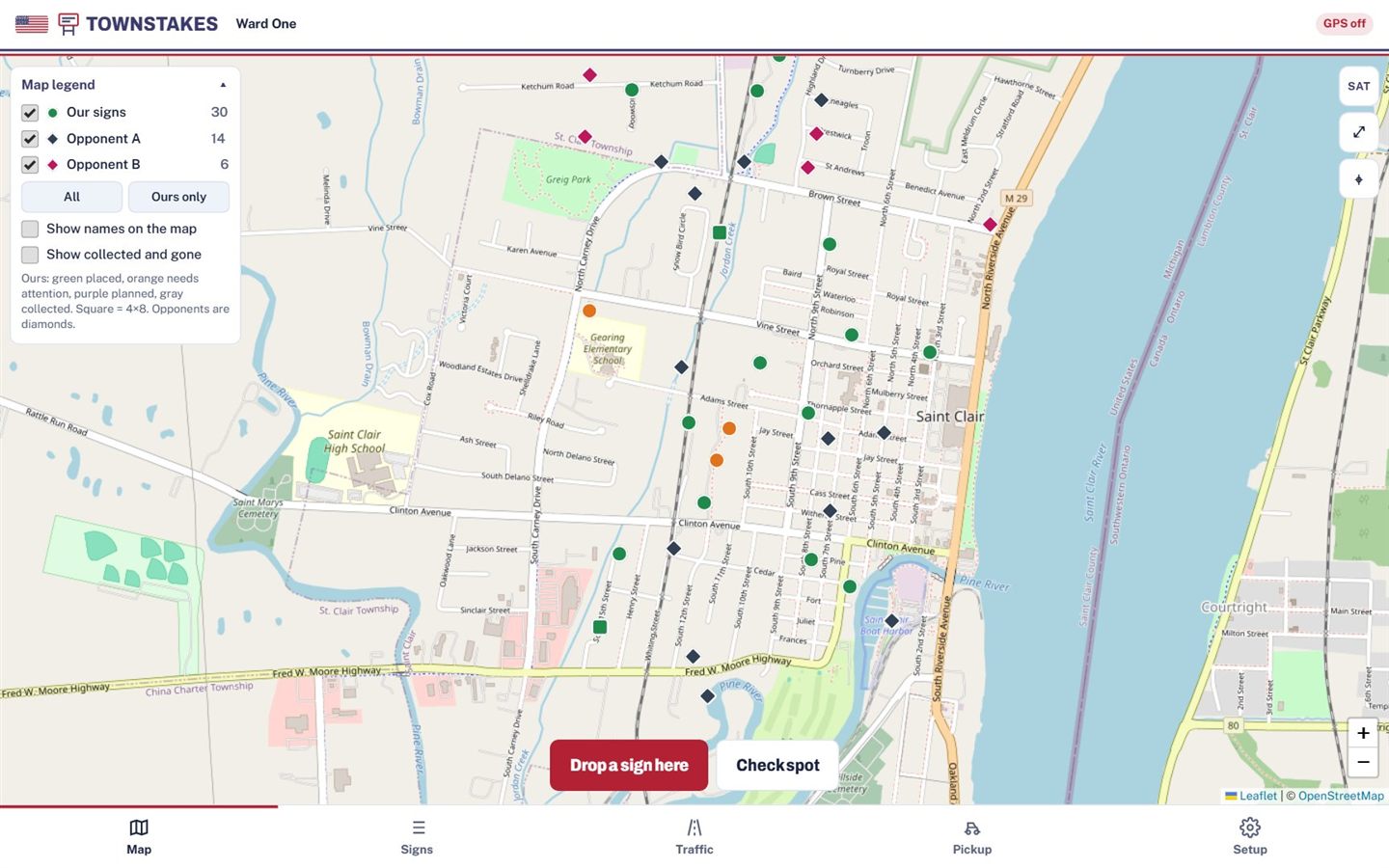
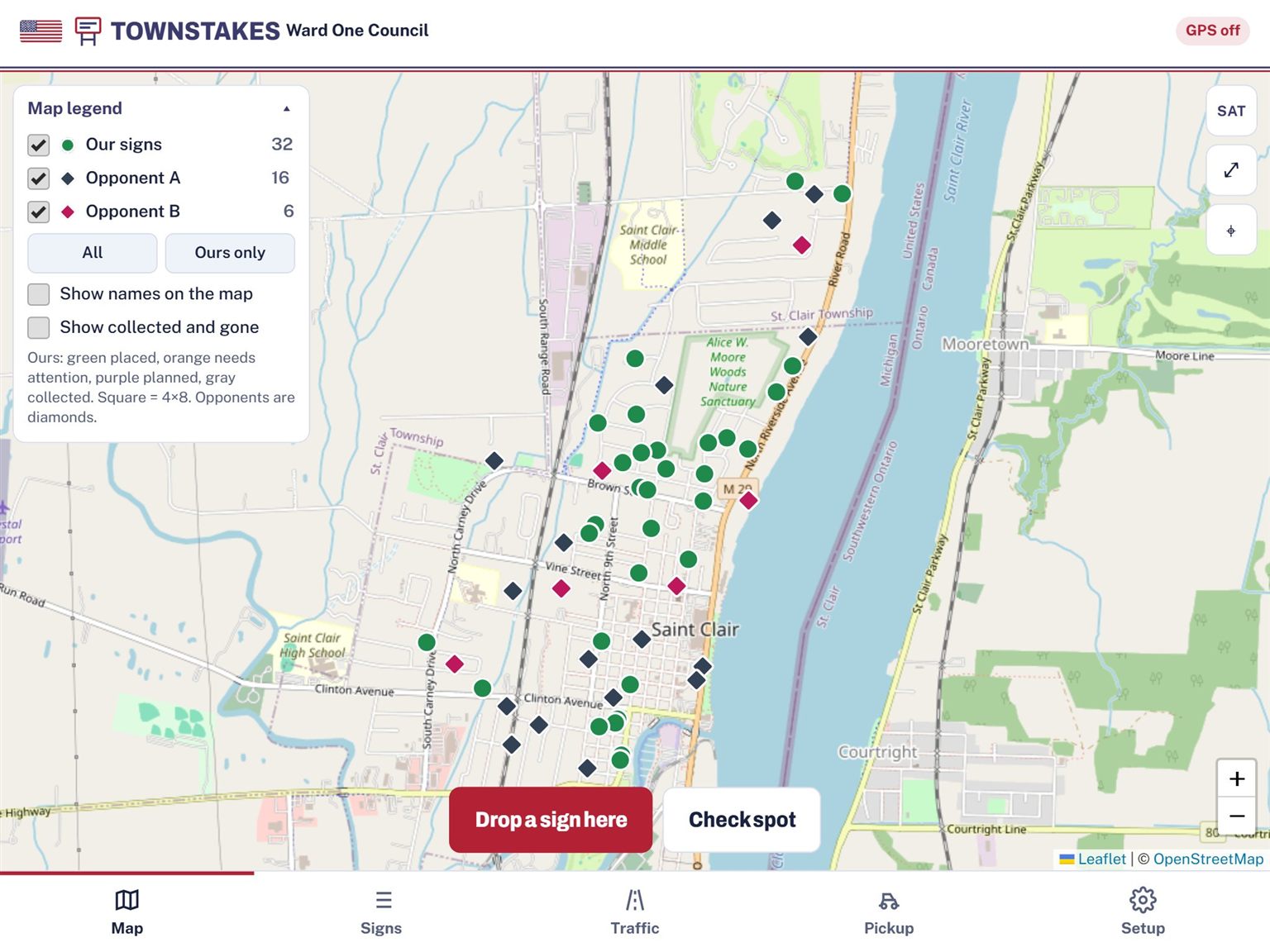
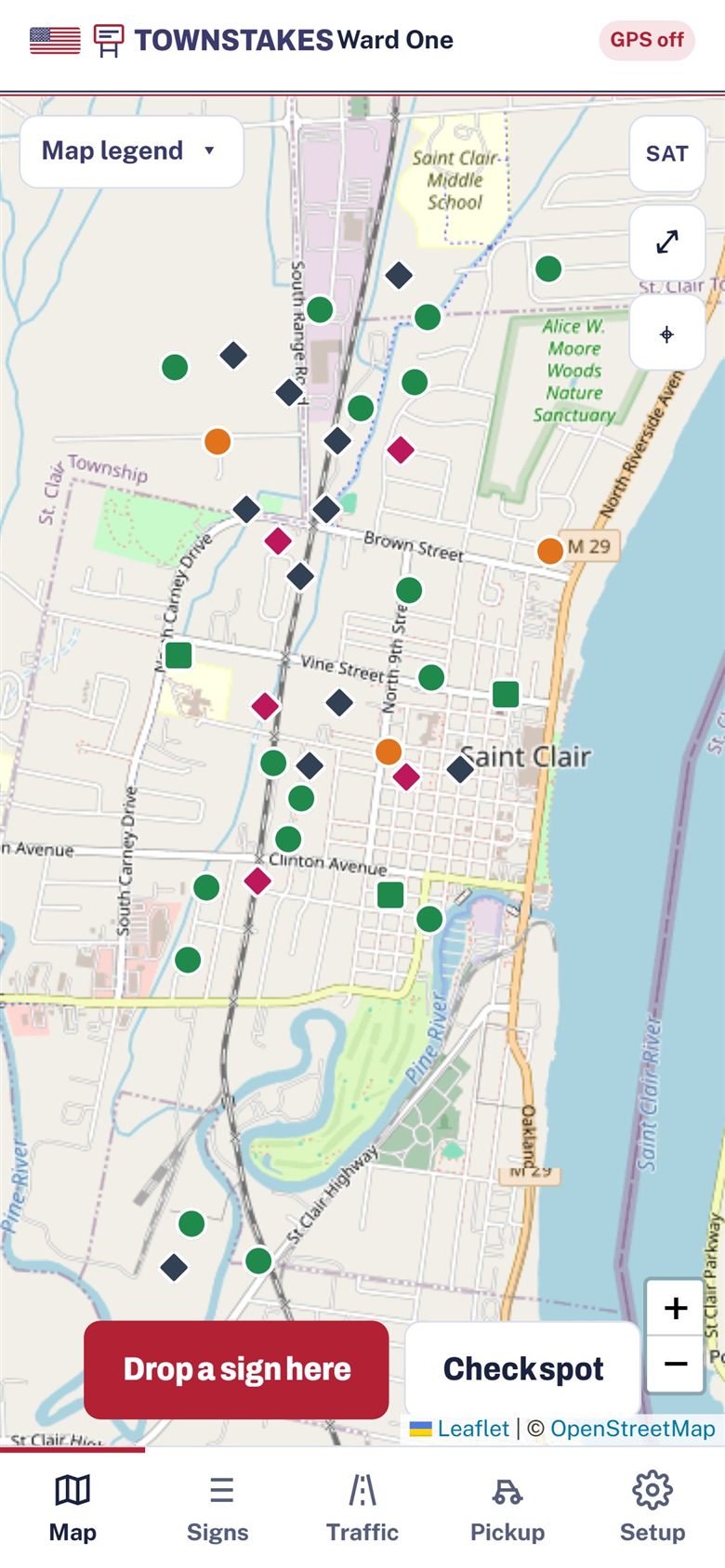
Drop a sign by GPS or tap the map. Add the host's name, a photo and notes. No signal? Keep going: new signs are saved on the device and sync later.
Assign spots to volunteers with a due date. Each volunteer gets their own list and route. Alerts and team chat keep everyone on the same page.
After the election, a countdown shows the days to your removal deadline, and every sign still standing goes into a driving route with Google Maps directions.
From field updates to final pickup, keep the details together. Explore real screens from our St. Clair test campaign.
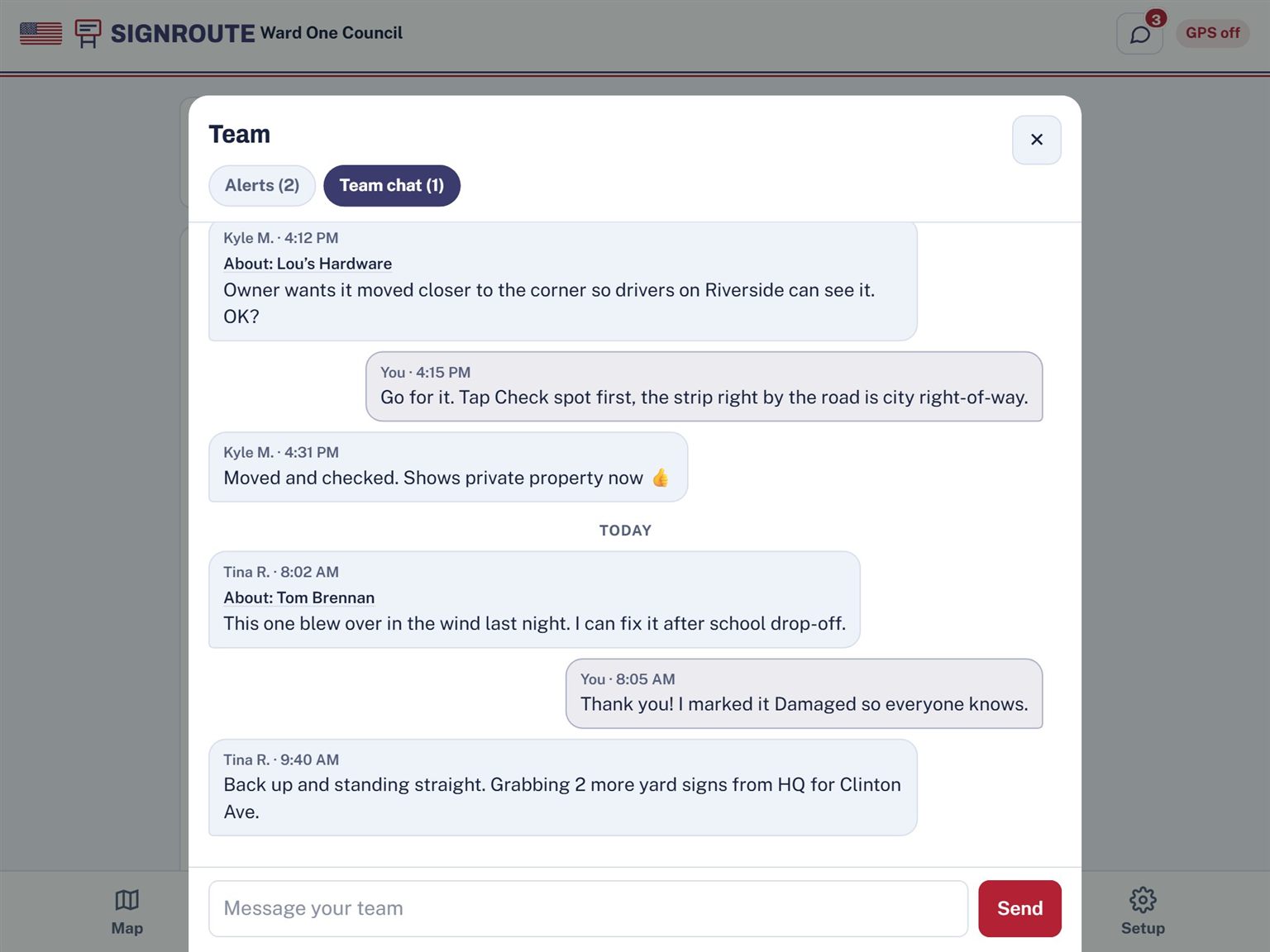
Tap Message team on any sign and the sign rides along with your message. Here Kyle checks before moving the sign at Lou's Hardware, and Tina reports one that blew over.
Managers get an alert when a volunteer finishes a job or reports a sign damaged or missing. Volunteers get one when a sign is assigned to them.
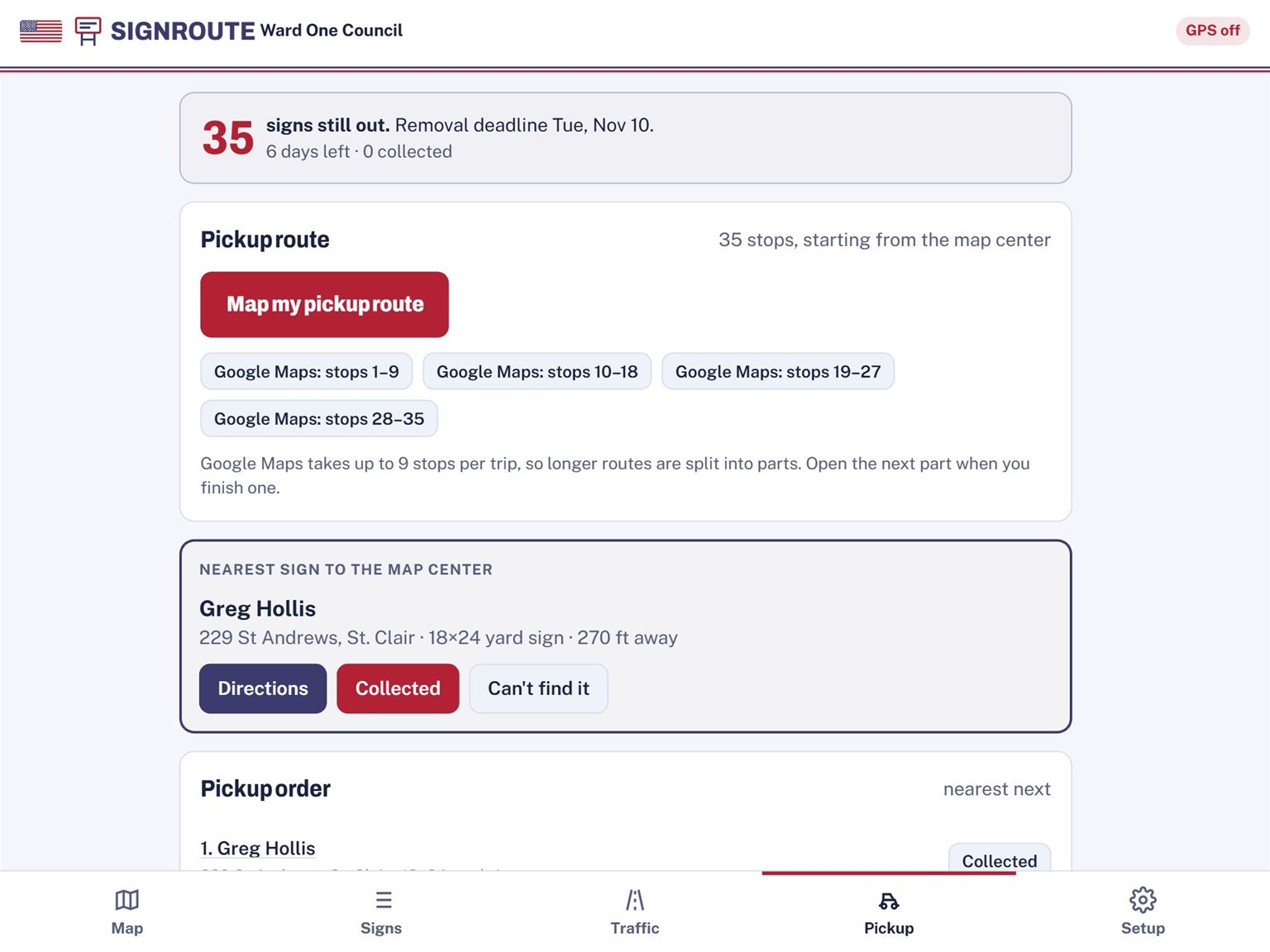
The Pickup tab counts down to your removal deadline and puts every sign still standing in driving order. Google Maps takes up to 9 stops per trip, so TownStakes splits the route into ready-made parts.
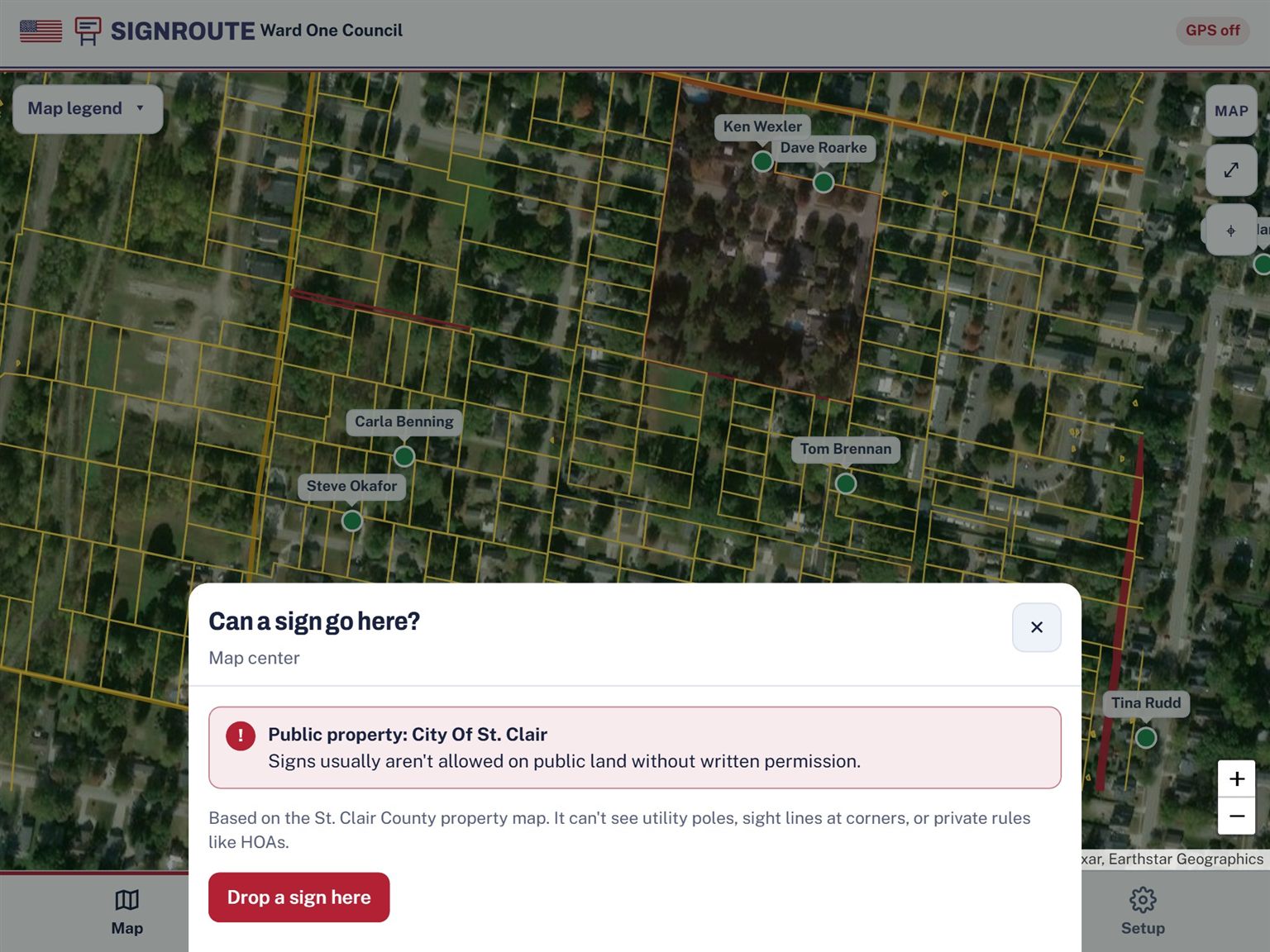
Tap Check spot and TownStakes looks up the parcel owner. If it's city or county land, a park, a school or the road right-of-way, you get a warning before anyone digs a hole.
It tells you who owns the land, not whether you have permission. Always get the owner's OK.
Covers St. Clair, Macomb and Oakland counties, Michigan. More Michigan counties on the way.
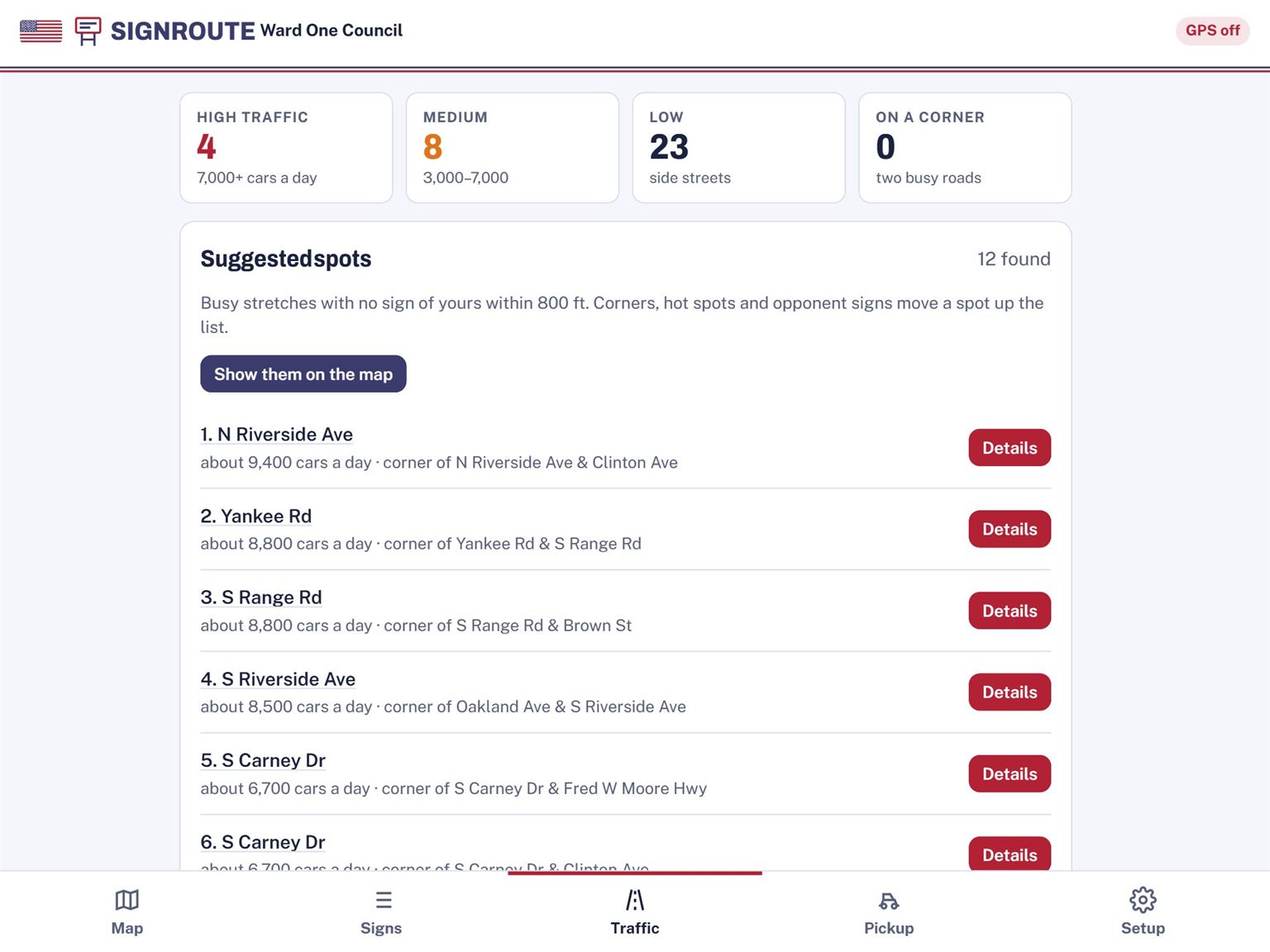
TownStakes uses the Michigan Department of Transportation's published daily traffic counts to rate each sign High, Medium or Low, and lists busy stretches with no sign of yours within 800 feet.
All of Michigan, freeways included. Paid plans.
Want to match signs to voters, or see your signs by ward and precinct? Add your voter list, or we'll pull it for you.
Sign in with a code sent to your email. Name your campaign and add your opponents.
Text or email volunteers an invite link and pick their role. Import your sign request spreadsheet if you have one.
Hand out spots, watch the map fill in, and send out pickup routes after the election.
One price for your whole team, with no auto-renew.
Managing several candidates? Party / Coalition is $249 for up to 10 campaigns.
You can place up to 20 signs, add photos and notes, check whether a spot is public land, and use the map offline. Traffic data, volunteer assignments, team chat and pickup routes are on the paid plans. See pricing.
No. You pay once per election, and your plan lasts through sign pickup. Nothing renews automatically, and one price covers your whole team, not each person.
TownStakes is for Michigan campaigns. Placing signs, assignments, chat, pickup and traffic counts work anywhere in Michigan. Property checks and lot lines cover St. Clair, Macomb and Oakland counties, with more Michigan counties on the way. In other counties the app tells you there's no property check there yet. Tell us your county.
You can keep recording signs. They're saved on the device and sync to your team when you're back online. Property checks need a connection, since they look up the county's records.
Start free with 20 signs. Upgrade when you're ready for the whole campaign: plans start at $39 for your whole team, paid once per election, with no auto-renew.